React's Reconciliation Engine, Explained
Beyond the Virtual DOM buzzword: how React's diffing algorithm decides what to re-render, and what that means for performance at scale.
2024-07-20
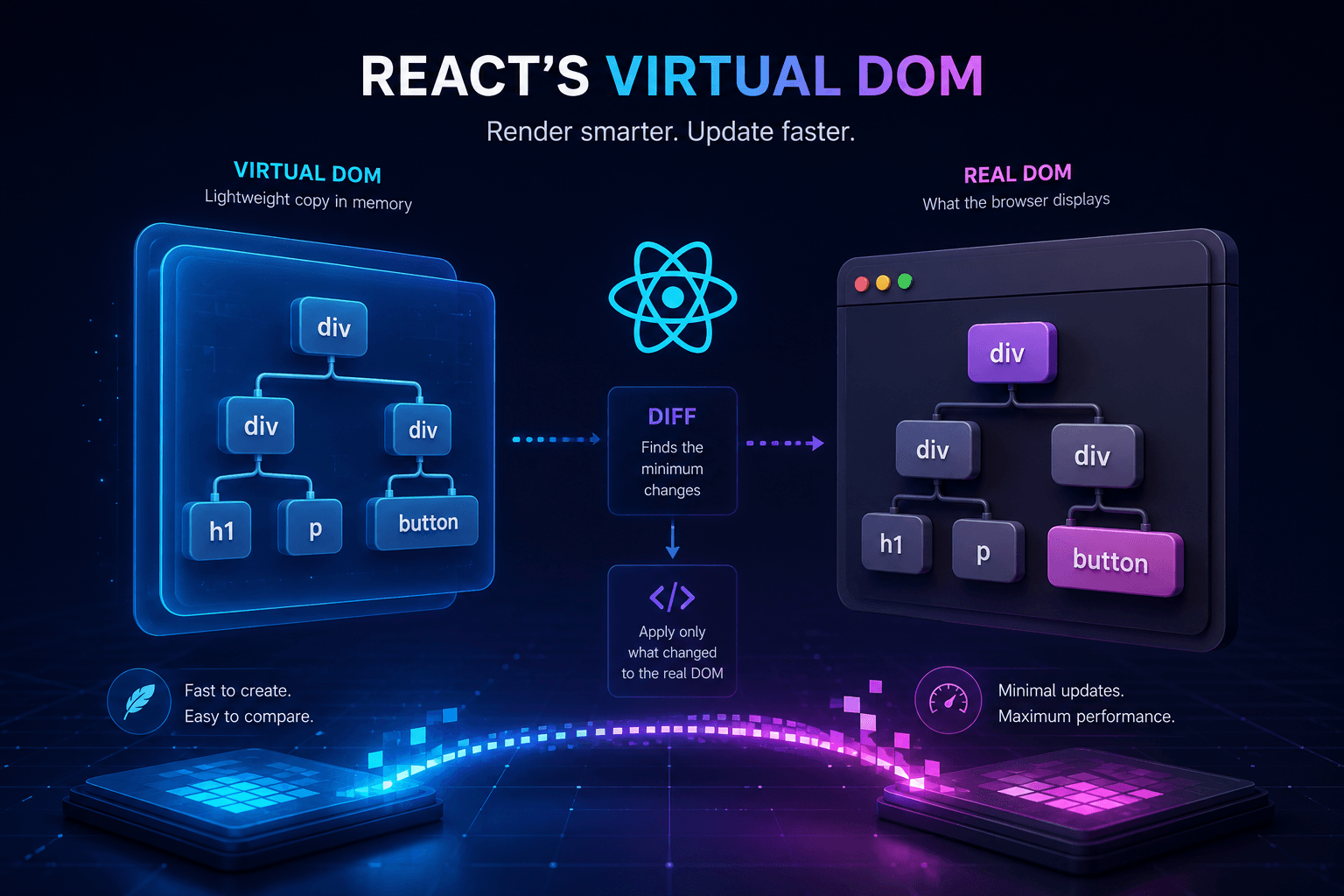
React's Reconciliation Engine, Explained.
Introduction
You've probably heard about the Virtual DOM. It gets mentioned constantly as one of React's key features, but most explanations stop at "it's a lightweight copy of the real DOM." That's not wrong, it's just not the interesting part.
The interesting part is what React does with it.
What is the DOM?
Before diving into the Virtual DOM, let's understand the regular DOM (Document Object Model).
Think of the DOM as a family tree for your web page. Every element, every button, div, or paragraph is a branch in this tree.
<div id="app">
  <header>
    <h1>Hello World</h1>
  </header>
  <main>
    <p>Welcome to my app!</p>
  </main>
</div>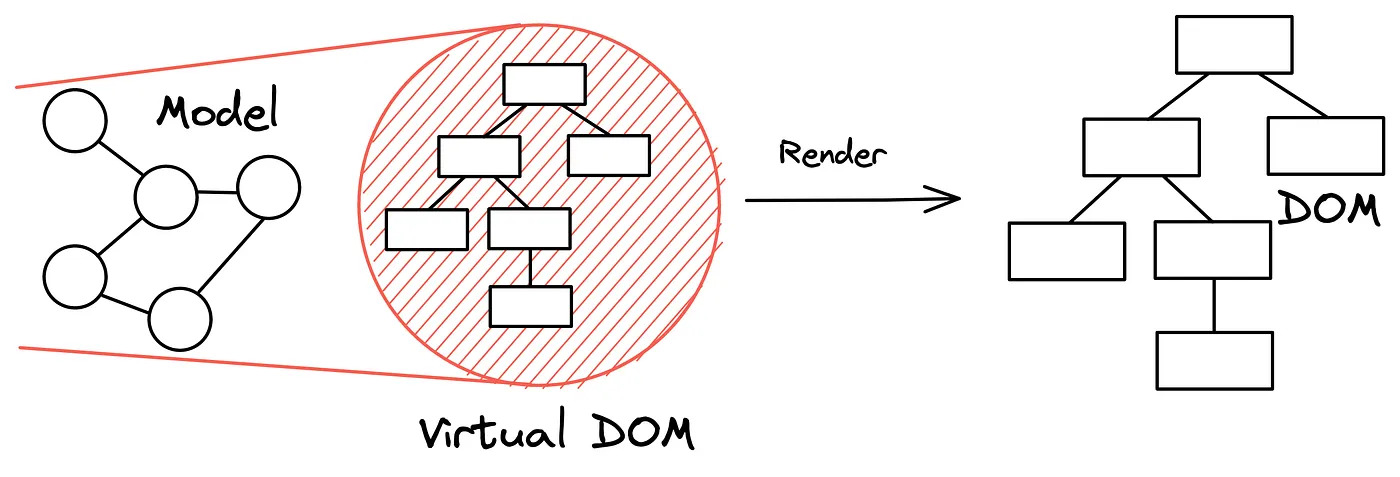
When you update something, the browser updates this tree. That can be expensive if done repeatedly and naively.
The Problem React Solves
Imagine a Todo app. Every add/remove/toggle can trigger:
- Finding old nodes
- Creating updated nodes
- Re-inserting nodes
- Recalculating layout
- Repainting UI
Doing this directly and often can be slow in complex applications.
What is the Virtual DOM?
Think of the Virtual DOM as a lightweight in-memory blueprint of the real DOM.
Instead of immediately mutating the browser DOM on each change, React:
- Builds a new Virtual DOM tree
- Compares it with the previous tree (diffing)
- Computes the smallest set of changes
- Applies only those changes to the real DOM
Analogy
Imagine you're an architect rebuilding a house:
- Traditional DOM approach: modify the house directly while people are living in it.
- Virtual DOM approach: update the blueprint first, compare versions, then apply only the required construction changes.
Step-by-step Virtual DOM process
1) Initial render
- React creates the initial Virtual DOM tree
- React renders it to the real DOM
2) State changes
- React creates a new Virtual DOM tree
- Diffing finds what changed
- Reconciliation applies minimal updates
Visual code example
function Counter() {
  const [count, setCount] = useState(0);
  return (
    <div>
      <h1>Count: {count}</h1>
      <button onClick={() => setCount(count + 1)}>Increment</button>
    </div>
  );
}
When clicking the button:
- React generates a new Virtual DOM snapshot
- Sees only the
h1text changed - Updates just that text node in the real DOM
Why this improves performance
- Batches and minimizes DOM writes
- Reduces layout/repaint pressure
- Keeps UI updates predictable and maintainable
Conclusion
The Virtual DOM is not magic. It's a diffing strategy: build a cheap in-memory representation, compare it to the previous one, and apply only what changed to the actual DOM.
Once that mental model clicks, React's rendering behavior becomes a lot easier to reason about, debug, and optimize.